
Trade credit
in Medusa
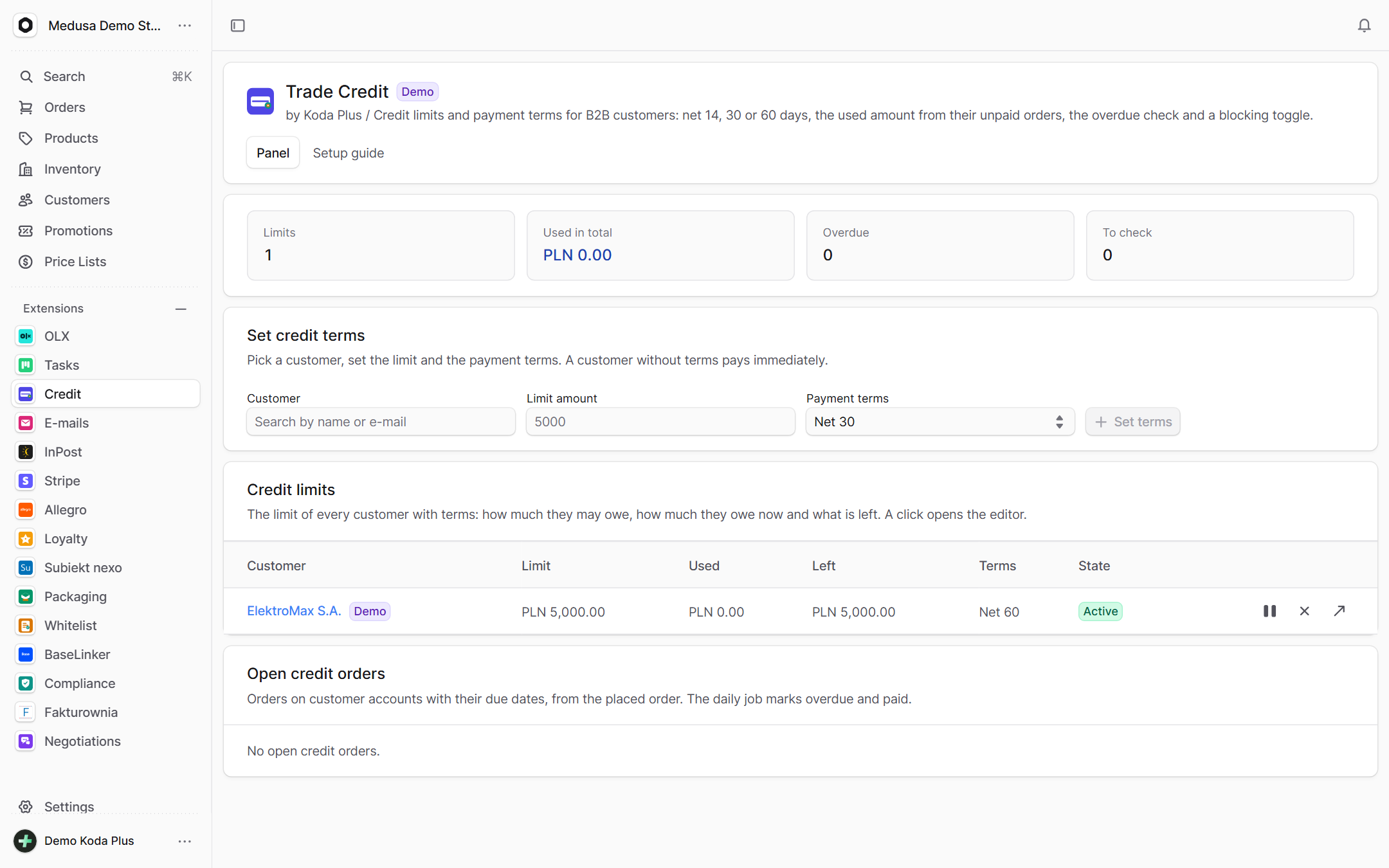
Credit limits and payment terms for B2B customers, right where the store is run: net 14, 30 or 60 days, the used amount from the customer's unpaid orders, due dates per order, an overdue check and a blocking toggle. The customer sees their own limit, the used amount and the open invoices in the storefront.
What exactly
this integration does
-
A limit per customer
How much a customer may owe, how much their unpaid orders already use and what is left – recomputed by the daily job and after every placed order.
-
Payment terms
Net 0, 14, 30 or 60 days. An order by a customer with terms gets a due date, and the daily job flips open orders past due to overdue and captured ones to paid.
-
Blocking and pausing
A blocked customer is flagged everywhere and, with enforce: true, the store refuses to complete their cart with a 403 credit_hold. Off by default: the store keeps selling and the panel shows the state.
-
A customer search
Find a customer by name or e-mail and set their terms in one place, next to the limit, the used amount and the blocking toggle.
-
The customer's account
A logged-in customer sees their limit, the used and remaining amounts, the terms and the open invoices through the store API – no call to a sales rep.
-
A counter to check
The koda.integration/1 contract adds a credit line to the customer page and a counter of limits to review, so the host admin sees everything in one place.
How it guards
your data
-
Used amounts from orders
The used amount is the sum of the customer's open and overdue credit orders, recomputed after every order. Nothing counts twice, nothing goes missing.
-
A coded hold
The cart refusal answers 403 credit_hold with a reason the storefront can show. The customer knows why they cannot order, instead of guessing.
-
Demo mode with sample data
Sample limits and credit orders are flagged demo, apart from the store's real rows.
Setup
in three steps
The full list of options, events and API routes is in the package README on GitHub.
Paste it into Claude Code, Cursor or another AI assistant in your Medusa project: it installs and configures the integration, with writes off.
- 1 Install the package from npm.
npm install @koda-plus/medusa-plugin-trade-credit - 2 Add the plugin to medusa-config.ts.
plugins: [ { resolve: "@koda-plus/medusa-plugin-trade-credit", options: { // Everything is optional. enforce: false, // true: sklep odmawia dokończenia koszyka poza limitem (403 credit_hold) // demo: process.env.CREDIT_DEMO === "true", }, }, ] - 3 Run the migrations and open the integration in the Medusa admin.
npx medusa db:migrate
Running for our clients
See our portfolio


Other
integrations
- Allegro Offers, orders, stock and parcels
- BaseLinker Cards, stock, prices and orders both ways
- Subiekt nexo Orders as ZK, WZ and invoices with KSeF
- Fakturownia Invoices, corrections and KSeF exactly once
- InPost Parcel lockers, courier and COD on ShipX
- OLX Adverts that match the store's stock
- Stripe Volume, fees, disputes and account health
- Negotiations Target price, counter offer, acceptance
- Loyalty Points, a reward ladder and a ledger
- Packaging Piece, box, pallet, minimum and step
- EU compliance GPSR, RODO and Omnibus in one panel
- VAT whitelist NIP, VIES and REGON in one panel
- E-mails Ready templates in Polish and English
- Tasks Tasks on orders, products and customers
Tell us about your project,
we'll tailor the rest to you
A 15-minute call is enough for us to know whether we are a fit for your project.
We start from what you need, not from an off-the-shelf solution.