
Price negotiations
in Medusa
A wholesale customer asks for a price on a product or for the whole cart, and you answer with a counter offer, accept or reject in one thread. An agreed price can become a Medusa draft order right away.
What exactly
this integration does
-
A queue in the admin
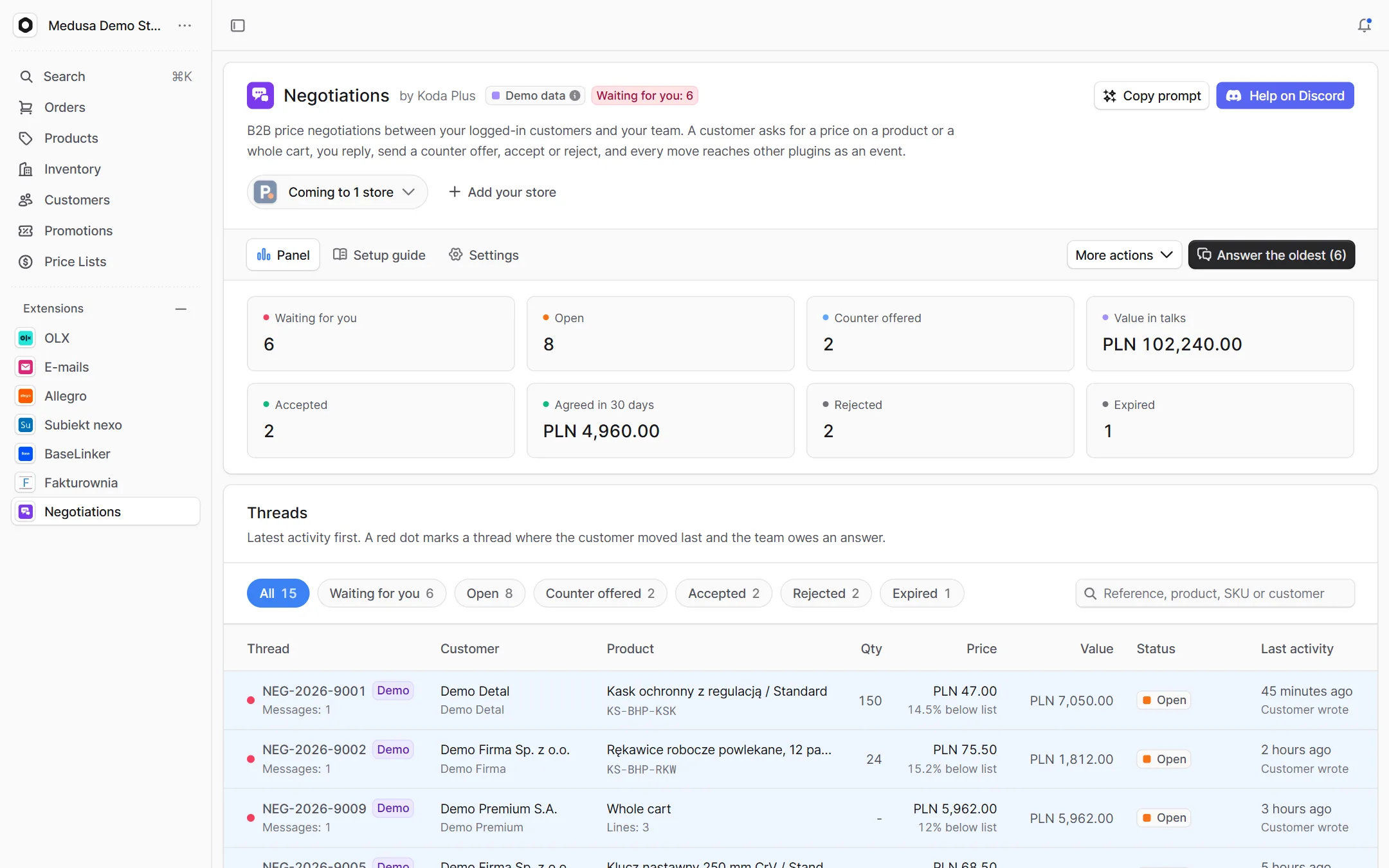
Every request in one place, with status filters and search. Counters tell you what waits for you, what is in progress, the value in talks and what you agreed in the last 30 days.
-
The whole thread at the decision
The conversation, the list price, the customer's target, your offer, the value and the discount in one place. Reply, counter with a validity, accept, reject with a reason, or leave an internal note.
-
Whole cart negotiations
A customer can ask for one price for the whole cart. The thread keeps the lines as they were when it was sent, so both sides talk about the same thing.
-
Whose move it is
Every thread knows whether it waits for the team or for the customer, and "Answer the oldest" opens the request that has waited longest. A thread without a move expires after a set number of days.
-
A draft order at the agreed price
An accepted thread can become a Medusa draft order for its customer: a plan first, then a dry run, then the write a person arms.
-
Widgets and events
Threads show on the product page, the customer page and above the order list. Every move is a Medusa event, so E-mails can send the offer and an ERP or CRM can react without touching the plugin.
How it guards
your data
-
One decision per thread
Every move is one conditional database update. Two people, or a person and the expiry job, never close the same thread twice.
-
Accept what you read
An acceptance carries the price its side saw. When it changed in the meantime, nothing is agreed.
-
Exact money
Amounts are integers in minor units with their currency code, never floating point.
-
Limits, and notes only for the team
Open threads, new requests and messages an hour are limited per customer, and internal notes never reach the store.
Setup
in three steps
The full list of options, events and API routes is in the package README on GitHub.
Paste it into Claude Code, Cursor or another AI assistant in your Medusa project: it installs and configures the integration, with writes off.
- 1 Install the package from npm.
npm install @koda-plus/medusa-plugin-negotiations - 2 Add the plugin to medusa-config.ts.
plugins: [ { resolve: "@koda-plus/medusa-plugin-negotiations", options: { expiryDays: 14, // taxInclusive: false, // writers: { draftOrders: true }, }, }, ] - 3 Run the migrations and open the integration in the Medusa admin.
npx medusa db:migrate
Running for our clients
See our portfolio
Other
integrations
- Allegro Offers, orders, stock and parcels
- BaseLinker Cards, stock, prices and orders both ways
- Subiekt nexo Orders as ZK, WZ and invoices with KSeF
- Fakturownia Invoices, corrections and KSeF exactly once
- InPost Parcel lockers, courier and COD on ShipX
- OLX Adverts that match the store's stock
- Stripe Volume, fees, disputes and account health
- Trade credit Limits, terms and customer balances
- Loyalty Points, a reward ladder and a ledger
- Packaging Piece, box, pallet, minimum and step
- EU compliance GPSR, RODO and Omnibus in one panel
- VAT whitelist NIP, VIES and REGON in one panel
- E-mails Ready templates in Polish and English
- Tasks Tasks on orders, products and customers
Tell us about your project,
we'll tailor the rest to you
A 15-minute call is enough for us to know whether we are a fit for your project.
We start from what you need, not from an off-the-shelf solution.