
Subiekt nexo integration
for Medusa
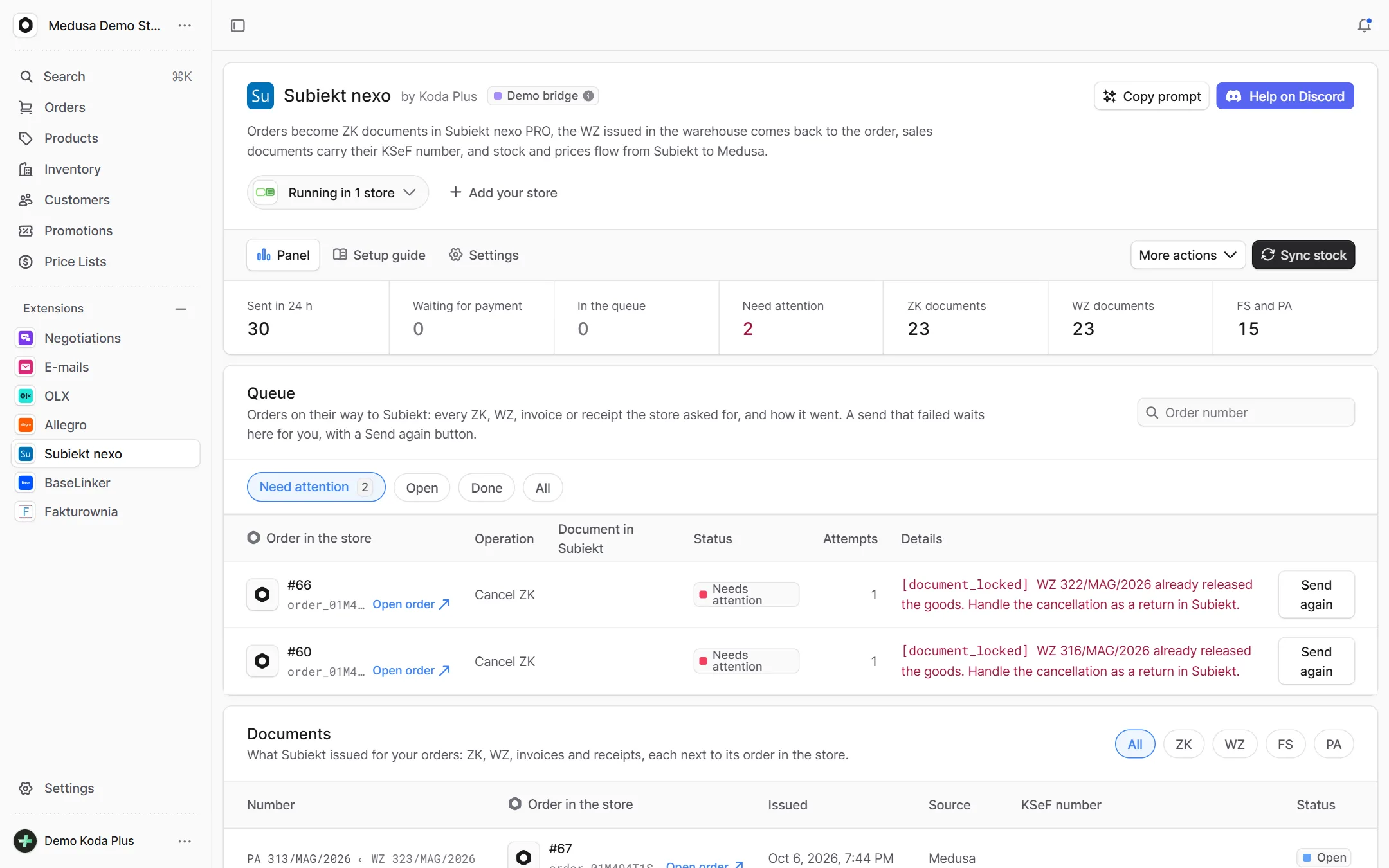
Subiekt nexo PRO by InsERT as the back office of a Medusa store: orders become ZK documents, WZ and invoices with their KSeF number come back to the order, and stock and prices flow from Subiekt.
What exactly
this integration does
-
Orders as ZK
A Medusa order becomes a customer order in Subiekt. A prepaid one waits for the capture, so the warehouse never packs an order that may still fail to pay.
-
Companies by NIP
The plugin finds the NIP where your checkout keeps it, checks the checksum and issues the ZK to the right contractor. Never a second one for the same NIP.
-
WZ from the warehouse
WZ issued in the warehouse come back to the order and, if you want, create the Medusa fulfillment.
-
Invoices and receipts with KSeF
An invoice or a receipt for every order, issued in Subiekt once, with the KSeF number shown on the order.
-
Stock, prices and products
Subiekt stock reaches Medusa every 10 minutes. Prices of one price level and new products meant for the shop are planned first.
-
Bridge diagnostics
Versions, licence, round trip and clock skew in the admin. Before something breaks, you see what and why.
How it guards
your data
-
A bridge with no admin key
Medusa talks to a bridge next to Subiekt (Sfera SDK, built and run by us) over a signed HTTP contract. The bridge holds no key to the store admin.
-
A queue that survives a weekend
Every call is a queue row first. A Subiekt machine switched off over a weekend loses nothing, retries run for more than two days.
-
Exactly once
The bridge writes the order tag into every document and looks for it before creating the next one. An unclear answer never ends in a second document.
Setup
in three steps
The full list of options, events and API routes is in the package README on GitHub.
Paste it into Claude Code, Cursor or another AI assistant in your Medusa project: it installs and configures the integration, with writes off.
- 1 Install the package from npm.
npm install @koda-plus/medusa-plugin-subiekt-nexo - 2 Add the plugin to medusa-config.ts.
plugins: [ { resolve: "@koda-plus/medusa-plugin-subiekt-nexo", options: { bridgeUrl: process.env.SUBIEKT_BRIDGE_URL, secret: process.env.SUBIEKT_SECRET, // the same as Bridge:Secret stockDryRun: true, // plan stock first // demo: true, }, }, ] - 3 Run the migrations and open the integration in the Medusa admin.
npx medusa db:migrate
Running for our clients
See our portfolio


Other
integrations
- Allegro Offers, orders, stock and parcels
- BaseLinker Cards, stock, prices and orders both ways
- Fakturownia Invoices, corrections and KSeF exactly once
- InPost Parcel lockers, courier and COD on ShipX
- OLX Adverts that match the store's stock
- Stripe Volume, fees, disputes and account health
- Negotiations Target price, counter offer, acceptance
- Trade credit Limits, terms and customer balances
- Loyalty Points, a reward ladder and a ledger
- Packaging Piece, box, pallet, minimum and step
- EU compliance GPSR, RODO and Omnibus in one panel
- VAT whitelist NIP, VIES and REGON in one panel
- E-mails Ready templates in Polish and English
- Tasks Tasks on orders, products and customers
Tell us about your project,
we'll tailor the rest to you
A 15-minute call is enough for us to know whether we are a fit for your project.
We start from what you need, not from an off-the-shelf solution.