
InPost integration
for Medusa
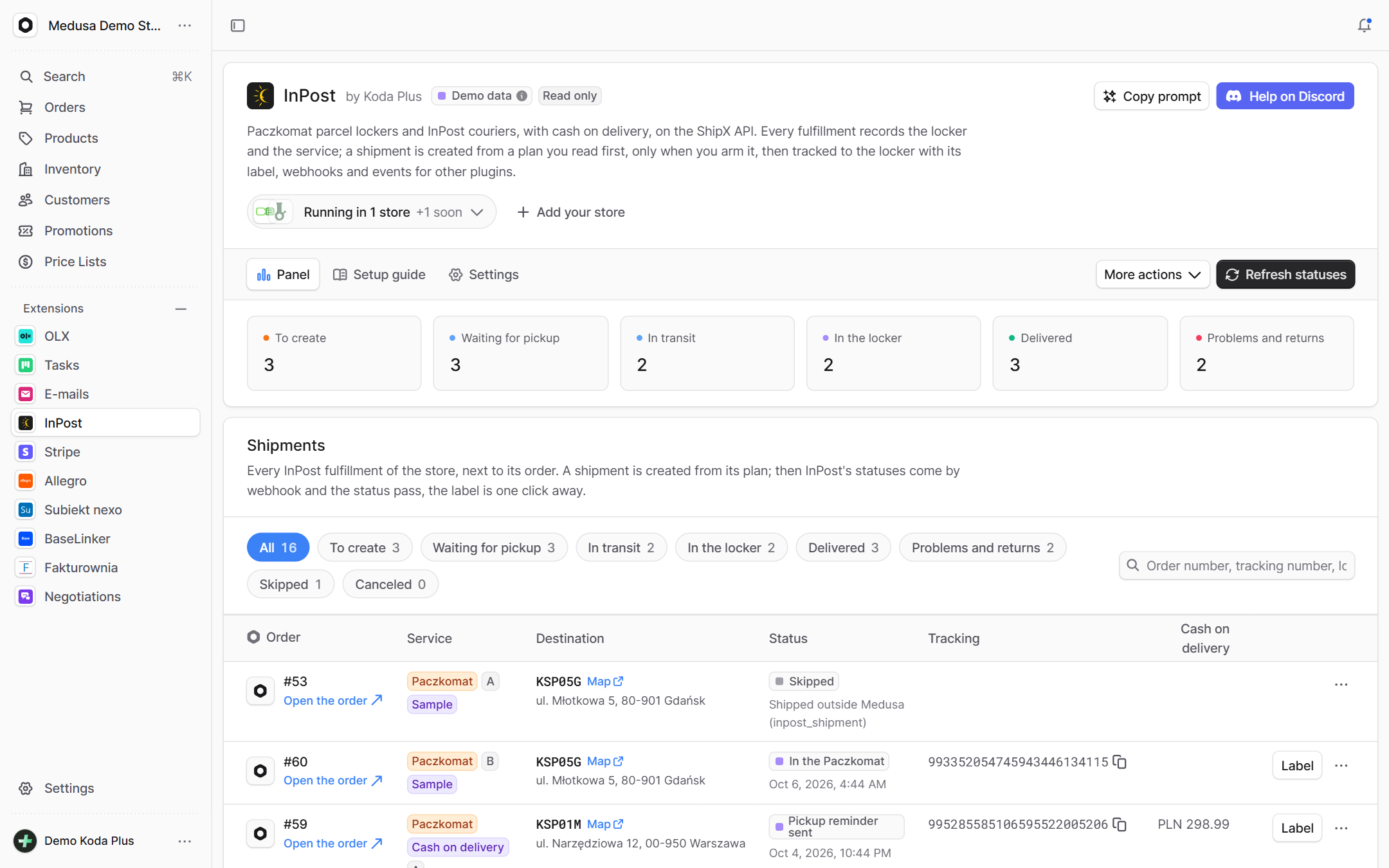
Ship with InPost from Medusa: four shipping options (Paczkomat and courier, each with or without cash on delivery), the chosen locker checked at checkout, and the fulfillment turned into a ShipX shipment from a plan a person reads first. Labels go through the backend, statuses through a webhook, and the rest of the store learns through events.
What exactly
this integration does
-
Four shipping options
Paczkomat and courier, both with cash on delivery or without. A locker option needs a valid locker code from InPost's list, a courier option a Polish address, and COD a cart in PLN.
-
The locker picked at checkout
The storefront shows InPost's Geowidget or its own locker search, and the code of the chosen point lands in the shipping method metadata and on the fulfillment.
-
A plan a person reads
Before anything reaches ShipX, the admin shows the receiver, the locker or address, the size, the weight, the COD with its insurance and the exact API request. A button sends the plan.
-
A shipment exactly once
One row per fulfillment, an atomic claim before the request, and an unclear answer never ends in a second parcel: the shipment is looked up in ShipX by its receiver and reference first.
-
Statuses and labels
The webhook only says what changed, and the plugin reads the shipment from ShipX itself. The A6 or A4 PDF label goes through the backend, so the token never reaches the browser.
-
Events for the rest of the store
Created, changed, delivered: every Medusa event carries a documented payload without personal data. E-mails can say "your parcel is in the locker", and an ERP can react without touching the plugin.
How it guards
your data
-
Two switches per writer
The option is the hard switch, the toggle in Settings the day to day one, stored with who flipped it and when. Without both nothing reaches InPost, and fulfillments still record.
-
COD once per order
The COD amount is what is still due, on the first live COD parcel of the order only. An order paid online never gets cash on delivery.
-
The token stays on the server
The API key only rides the Authorization header to ShipX, masked in logs, errors and the admin. Receiver data is read from the order only when a plan is built.
-
Cancel only while ShipX allows it
The status is read first, and only states InPost permits can be canceled. Shipments the plugin did not create are only tracked, never canceled or paid.
Setup
in three steps
The full list of options, events and API routes is in the package README on GitHub.
Paste it into Claude Code, Cursor or another AI assistant in your Medusa project: it installs and configures the integration, with writes off.
- 1 Install the package from npm.
npm install @koda-plus/medusa-plugin-inpost - 2 Add the plugin to medusa-config.ts.
const inpost = { apiToken: process.env.INPOST_API_TOKEN, organizationId: process.env.INPOST_ORGANIZATION_ID, webhookSecret: process.env.INPOST_WEBHOOK_SECRET, // sandbox: true, // Writes: off unless allowed here AND armed in the admin (allowed by default in demo mode, simulated). // shipmentWriter: true, // create, pay a prepaid offer, order a pickup, cancel // fulfillmentStatusWriter: true, // mark Medusa fulfillments shipped and delivered // demo: true, // sample shipments from your orders, nothing sent to InPost } plugins: [{ resolve: "@koda-plus/medusa-plugin-inpost", options: inpost }], modules: [ { resolve: "@medusajs/medusa/fulfillment", options: { providers: [ { resolve: "@medusajs/medusa/fulfillment-manual", id: "manual" }, { resolve: "@koda-plus/medusa-plugin-inpost/providers/inpost", id: "inpost", options: inpost }, ], }, }, ] - 3 Run the migrations and open the integration in the Medusa admin.
npx medusa db:migrate
Running for our clients
See our portfolio



Other
integrations
- Allegro Offers, orders, stock and parcels
- BaseLinker Cards, stock, prices and orders both ways
- Subiekt nexo Orders as ZK, WZ and invoices with KSeF
- Fakturownia Invoices, corrections and KSeF exactly once
- OLX Adverts that match the store's stock
- Stripe Volume, fees, disputes and account health
- Negotiations Target price, counter offer, acceptance
- Trade credit Limits, terms and customer balances
- Loyalty Points, a reward ladder and a ledger
- Packaging Piece, box, pallet, minimum and step
- EU compliance GPSR, RODO and Omnibus in one panel
- VAT whitelist NIP, VIES and REGON in one panel
- E-mails Ready templates in Polish and English
- Tasks Tasks on orders, products and customers
Tell us about your project,
we'll tailor the rest to you
A 15-minute call is enough for us to know whether we are a fit for your project.
We start from what you need, not from an off-the-shelf solution.